Introduction: The Age of Connected AI
In 2026, artificial intelligence is no longer a standalone tool for a single task — it has become a connected hub that links dozens of digital platforms and services into one seamless workflow. At the center of this transformation stands Claude, the AI assistant developed by Anthropic, positioned as one of the most powerful AI systems capable of integrating with hundreds of external applications and services.
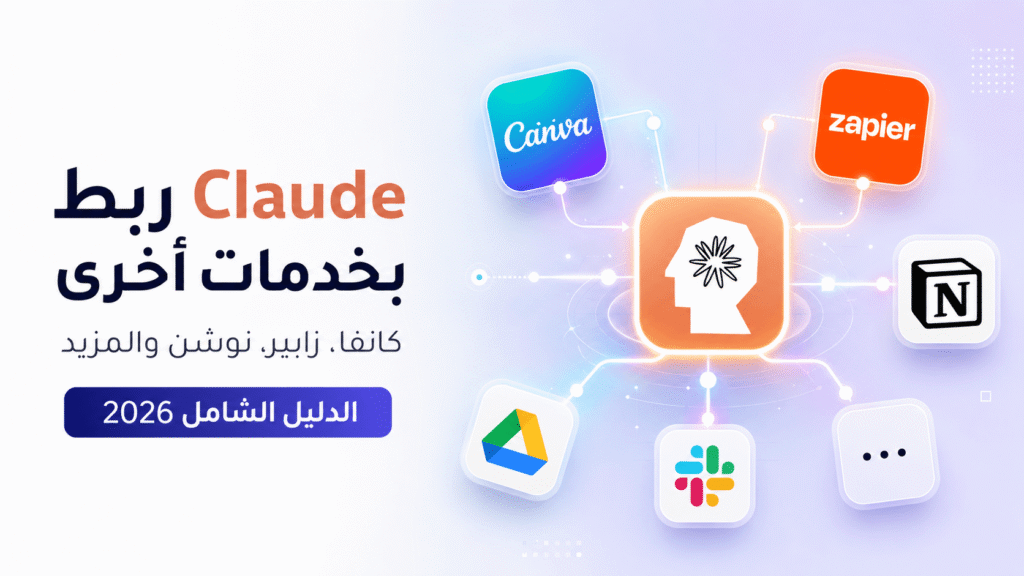
In this comprehensive guide, we explore how you can connect Claude to services like Canva, Zapier, Notion, Slack, and beyond — and how these integrations can dramatically transform the way you work and boost your daily productivity.
What Is Claude and Why Is It the Ideal Integration Partner?
Claude is an advanced large language model (LLM) built by Anthropic, designed with safety, reliability, and helpfulness at its core. What makes Claude particularly suited for integrations is its support for advanced APIs and the Model Context Protocol (MCP) — an open-source protocol developed by Anthropic that serves as the primary bridge connecting Claude to external apps, databases, and digital tools.
According to the official Anthropic blog, Claude in 2026 supports a growing ecosystem of integrations that make it capable of reading files, browsing the web, querying databases, and executing automated workflows — all in real time.
Claude + Canva: Design Meets AI
Canva is the world’s most popular design platform, and in 2026, its integration with Claude opens up powerful creative possibilities for individuals and teams alike. Here’s how you can leverage this combination:
- Automated Copywriting: Ask Claude to write marketing copy, taglines, or product descriptions, then paste them directly into Canva templates.
- Design Recommendations: Based on your project brief, Claude can suggest color palettes, fonts, and layouts suited to your brand identity.
- Content Automation: Using Zapier or Make.com, build automated workflows that prompt Claude to generate content and send it directly to Canva for instant design creation.
To get started, activate API access via the Canva Developer Platform, then use an automation platform like Zapier to connect the two services seamlessly.
Claude + Zapier: Automate Everything
Zapier is the world’s leading workflow automation platform, connecting over 5,000 apps — and Claude is now a first-class citizen in this ecosystem. By linking your Claude API key to Zapier, you can build “Zaps” (automated workflows) that complete in seconds what previously took hours.
Practical Claude + Zapier automation examples:
- New email received → Claude summarizes it and sends the summary to your Slack channel.
- New row added to Google Sheets → Claude analyzes the data and generates a report in Notion.
- New WordPress post published → Claude creates and schedules social media posts automatically.
- Contact form submitted → Claude categorizes the request and sends a personalized initial reply.
Claude + Notion: Your AI-Powered Knowledge Hub
Notion has become the go-to tool for knowledge management and project organization for millions of users worldwide. With Claude integration via MCP or extended Notion AI capabilities, you can now:
- Auto-generate documents: Give Claude a project structure and it will create a full Notion page complete with task lists and timelines.
- Search your knowledge base: Claude can read and reference your Notion pages to answer questions based on your stored content.
- Summarize meetings: Paste meeting notes into Claude and get a structured summary with action items pushed directly to Notion.
- Track projects: Claude updates Notion databases based on incoming emails or reports automatically.
Claude + Slack: The Smart Teammate
Integrating Claude with Slack redefines team communication. Via custom bots or existing app integrations, Claude can:
- Instantly answer your team’s frequently asked questions without human intervention.
- Summarize long threads and deliver key highlights to anyone who missed the discussion.
- Schedule and coordinate meetings based on simple natural-language commands in any channel.
- Automatically generate and post weekly progress reports to your team channels.
Claude + Make.com: Advanced Automation Without Limits
Make.com (formerly Integromat) offers greater flexibility than Zapier for building complex workflows. With deep Claude API support, Make.com allows you to build visual “Scenarios” with conditional logic (if/else), loops, error handling, and multi-step data transformations. This makes it the ideal choice for technical projects requiring high precision and scalability.
Claude + Google Workspace: Enterprise-Level Productivity
Claude integrates seamlessly with Google Workspace, which includes Gmail, Google Docs, Sheets, Slides, and Calendar. Key use cases include:
- Gmail: Draft professional replies, auto-classify messages, and build response templates.
- Google Docs: Review and improve text, translate documents, and generate long-form content.
- Google Sheets: Analyze data, write complex formulas, and interpret statistical results.
- Google Calendar: Organize schedules, suggest meeting times, and create intelligent reminders.
Model Context Protocol (MCP): The Future at Your Fingertips
What truly sets Claude apart in 2026 is its adoption of the Model Context Protocol (MCP) — the open standard developed by Anthropic that has become the industry benchmark for connecting AI models to external tools. Think of MCP as “USB for AI”: just as any device can plug into a USB port, any service that provides an MCP Server can instantly connect to Claude.
Hundreds of services now support MCP, including GitHub, databases like PostgreSQL and MongoDB, and platforms such as Figma, Linear, Jira, and Asana.
Getting Started: Step-by-Step Integration Guide
- Get your Claude API key: Sign up at Anthropic Console and generate your personal API key.
- Choose an automation platform: Zapier for beginners, Make.com for advanced users, or build a custom integration directly using the Claude API.
- Try Claude Desktop: Download the Claude Desktop app, which supports MCP and direct integration with local files and applications.
- Explore MCP Servers: Browse the official MCP repository to discover hundreds of ready-to-use integrations.
- Build your workflows: Start with one simple automation, measure the results, then scale to more complex workflows.
Best Practices for 2026
- Protect your API keys: Never share your Anthropic API keys publicly; always use environment variables for secure storage.
- Monitor your usage: Regularly check your Anthropic Console dashboard to track consumption and manage costs.
- Test in a safe environment: Before deploying any automation, test it on sample data to ensure accuracy.
- Start simple, scale gradually: Begin with straightforward integrations and progress toward more complex workflows as you gain confidence.
Conclusion: Claude at the Center of Your Digital Ecosystem
In 2026, the question is no longer “Should I use AI?” — it’s “How do I integrate it intelligently into my workflow?” Thanks to the MCP protocol and robust support from major automation platforms, Claude has positioned itself at the heart of the modern digital workspace. Whether you’re a designer relying on Canva, a manager using Notion and Slack, or a developer working with APIs and databases, connecting Claude to your everyday tools will multiply your productivity and elevate the quality of your work to an entirely new level.
Start today with one small integration — and you’ll soon discover how these connections can be a true game-changer for your professional and personal life.