
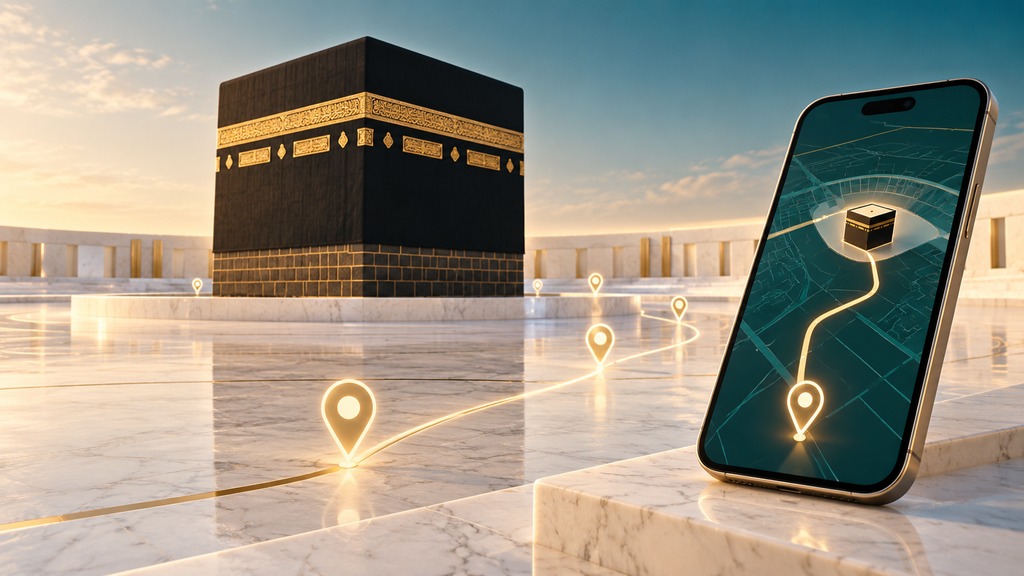
Before travelling to the Grand Mosque, many Umrah visitors want a clearer idea of conditions around the Mataf and Mas’a rather than relying on an old photograph or someone else’s previous experience. The Two Holy Mosques authority provides an official crowd-density page alongside interactive maps for finding places and services. Used together, these tools can help with preparation: identify the destination, understand its location and review the information available before setting off.
Reviewed on October 17, 2026. Today’s news coverage highlights these services, but they were available before this date. This article is a practical guide to the official links and the limits of the information they provide. It does not report the crowd level right now or promise a particular hour without congestion.
Official links for crowd levels and interactive maps
Start with the authority’s Tawaf and Sa’i Area Crowd Levels page. Its location labels distinguish the Ka’bah-level Tawaf area from other Tawaf floors and the different Sa’i levels. Read the name of the specific area you intend to visit; information about one location should not automatically be applied to the rest of the complex.
For landmarks and facilities, use the official Two Holy Mosques interactive maps landing page. This linked introduction is in Arabic and provides access to the mosque maps. Save both links with descriptive bookmark names. Separating the crowd page from the map is especially useful when helping another person find the right tool quickly on a phone.
Understand the two different questions
One question is what information is available about crowd density. Another is where a destination or facility is located. The crowd page addresses the first, while the interactive map supports wayfinding. Opening a map does not by itself establish that you are viewing a live crowd reading, and a density indicator does not explain every part of a journey from your accommodation.
| Your task | Where to start | What to check |
|---|---|---|
| Review available crowd information | Crowd-level page | Area name, floor and freshness |
| Locate a landmark or facility | Interactive map | Mosque, destination and suitable route |
| Respond to an on-site change | Staff guidance and signs | Instructions operating at that time |
A practical sequence before leaving
- Open the official page and confirm that its heading matches the service you need.
- Identify whether you are checking Tawaf or Sa’i and read the specific location and floor.
- Review the available indicator and its timestamp if one is shown.
- Use the map to understand your destination and any relevant facilities.
- Check again near departure, then follow the instructions provided when you arrive.
This is a suggested planning sequence, not a promise that every version of the site uses identical buttons. Layouts can differ between a desktop and a phone or after an interface update. If a label is missing, return to the authority’s official homepage and look for the service rather than following an unrelated advertisement or an unclear download link.
Read the location before interpreting the indicator
Check the area name first. Use any explanation supplied within the service rather than assuming that a colour has the same meaning as it does in another app. Information describing conditions when displayed is also different from a prediction about your arrival. A monitoring page does not establish a guaranteed walking time, queue duration or completion time for the rituals.
Distinguish a general website-content update date from the timestamp of an individual operational reading. They are not necessarily the same thing. If the relevant time is unclear or an element has failed to load, treat the information as incomplete. Do not interpret a missing indicator as an empty area or pass it to others as a confirmed crowd assessment.
What the interactive map adds
The authority’s map introduction describes points of interest, route options and accessibility support. It can help visitors learn the layout before their visit. A platform-wide description of possible routes does not mean every route remains open at every moment. Whether a particular path can be used also depends on the arrangements operating on the ground.
Explore one task at a time: identify a landmark, find a facility or understand a transition between areas. This is more manageable than trying to memorise the whole map. Write down the destination name and floor. Those details also make it easier to ask a staff member for clarification or explain the meeting location to relatives.
Planning with older relatives and accessibility needs
Discuss the route with your companions before leaving, particularly when someone needs additional consideration for movement. Look at the relevant facilities shown on the map and confirm availability on arrival. The shortest line on a screen is not the only useful criterion: changes between floors, a recognisable destination and clear instructions also matter.
Agree on a simple communication plan and a named place to refer to if arrangements change. Let one person check the phone while stopped in an appropriate location instead of having everyone read their screens while moving. These are personal organisation suggestions, not medical judgments about anyone’s ability to undertake a particular activity.
Is there a guaranteed quiet time?
This guide does not provide a fixed timetable promising low crowds on a particular day. Saudipedia’s explanation of Hajj and Umrah crowd management describes coordination, operational planning and responses to changing conditions. Repeating an old recommendation about a preferred hour is therefore less useful than reviewing the circumstances of the actual visit.
If your travel arrangements allow flexibility, include that flexibility in planning and check official information before deciding. Do not postpone a specific commitment on the basis of an unsupported prediction. A lower indicator for one area also does not establish that all entrances are available. Digital information works best alongside the instructions that visitors encounter at the site.
If the page does not display correctly
A page may load incompletely or leave some elements blank. Try refreshing once, check your connection and use an updated browser. If necessary, navigate to the service through the authority’s homepage. When information remains unavailable, seek on-site guidance. A display problem on your device neither identifies the crowd level nor proves that the service has stopped working for everyone.
The links in this article are official web pages; using them does not require installing an application file sent by an unknown account. If another service asks for registration or permissions, verify the organisation and purpose before proceeding. This guide does not infer permit requirements or registration rules from the fact that a map is accessible.
Avoid misleading screenshots and forwarded claims
When updating relatives, share the official link and the time you checked it instead of forwarding an undated image. A screenshot can travel between groups long after circumstances change. If you save one to identify a place, make clear that its purpose is to illustrate the location rather than to certify the present crowd level.
Check the domain before entering information. Treat promises of a guaranteed quiet hour or a route bypassing official arrangements cautiously. The service’s useful role should not be expanded into claims its source does not make. An editorial illustration is also different from the operational map: this article’s cover is conceptual artwork, not an official interface screenshot.
Part of a wider crowd-management system
Location information is useful when visitors understand their destination and can follow directions clearly. For broader background, read SaudiWe’s article on technology and crowd management for pilgrims. The presence of several technologies in the wider system does not prove that every feature is automatically connected to the particular crowd page you are viewing.
A short checklist for your visit
- Save the official crowd page and map links separately.
- Check the exact location and floor.
- Review the freshness of the information when a time is displayed.
- Discuss the destination and companions’ needs in advance.
- Follow on-site instructions when routes or arrangements change.
The aim is practical preparation: know where to look, what to ask and how to interpret the information available. Used with these limits in mind, the map and crowd page can support a better-informed visit without relying on outdated photographs or unsupported promises that congestion will be absent.