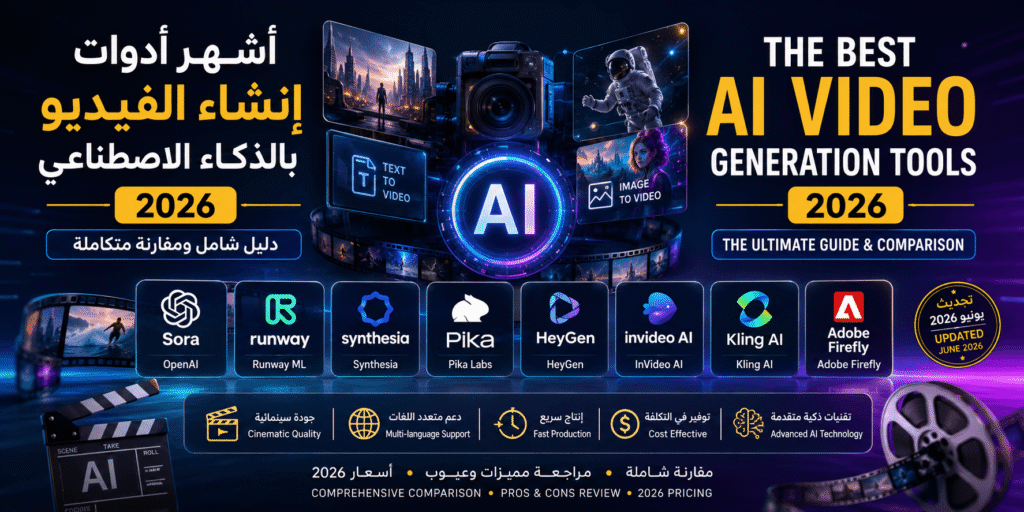
🎬 Updated for 2026: This guide reflects the latest tool versions and pricing as of June 2026. All prices listed are approximate and subject to change — always verify current pricing on each tool’s official website before subscribing.
Introduction: AI Is Rewriting the Rules of Video Production
By 2026, AI-powered video generation has moved well beyond the experimental phase — it is now a foundational pillar of digital content production. What once required expensive crews, studios, and weeks of editing can now be accomplished in minutes at a fraction of the cost. In this comprehensive guide, we review the most powerful AI video tools available today, compare them side by side, analyze their strengths and weaknesses, and give you clear, actionable recommendations based on your specific use case.
1. Sora by OpenAI — Cinematic Quality from Simple Text
Sora by OpenAI remains one of the most impressive AI video generation tools of 2025–2026. It generates hyper-realistic, cinematic video clips up to 60 seconds from text prompts, with an extraordinary understanding of physical dynamics, lighting, and spatial relationships. Available through ChatGPT Plus/Pro subscriptions.
✅ Strengths
- Industry-leading visual quality — up to 1080p, 60 seconds
- Deep understanding of complex scenes and realistic motion
- Consistent character and scene coherence throughout clips
⚠️ Weaknesses
- Geographic access restrictions still apply in some regions
- Limited fine-grained control over specific scene details
- Requires very precise, detailed text prompts for best results
2. Runway ML — The Professional’s Powerhouse
Runway ML is the go-to platform for film professionals and creative agencies. Its Gen-3 Alpha model delivers Hollywood-caliber video from text or images, backed by a comprehensive suite of AI editing tools. It has been used in actual major film productions. Pricing starts at approximately ~$12/month (subject to change).
✅ Strengths
- Hollywood-grade output quality with Gen-3 Alpha
- Full suite of AI editing tools (inpainting, motion tracking, BG removal)
- Native integration with Adobe Premiere Pro
- 4K export support
⚠️ Weaknesses
- Requires a fast internet connection and capable hardware
- Higher cost for advanced plans compared to competitors
- Complex scenes can take significant render time
- Moderate learning curve for beginners
3. Synthesia — Enterprise Video Made Effortless
Synthesia is the undisputed leader for corporate and educational video at scale. Create professional videos with realistic AI avatars speaking 140+ languages including Arabic — no camera, studio, or acting skills required. Trusted by Zoom, Nike, Heineken, and Reuters. Pricing starts at approximately ~$29/month (subject to change).
✅ Strengths
- 230+ realistic AI avatars + 140 languages including Arabic
- Extremely intuitive — zero technical expertise required
- Perfect for corporate training, e-learning, multilingual marketing
⚠️ Weaknesses
- Limited creative/cinematic flexibility — not for artistic storytelling
- Videos can feel repetitive due to limited template variety
- Cannot generate dynamic environments or spontaneous scenes
4. Pika Labs — Artistic Video Creation Without Barriers
Pika Labs is the creative community’s favorite — turning images and text prompts into dynamic, visually striking video clips. With a vibrant Discord community of millions, it’s one of the most accessible and affordable AI video tools. Paid plans start at approximately ~$8/month (subject to change).
✅ Strengths
- Highly intuitive interface — minimal learning curve
- Most affordable paid professional-grade option
- Massive, active creative community for support and inspiration
⚠️ Weaknesses
- Results can be inconsistent — output doesn’t always match the prompt precisely
- Shorter maximum video duration compared to competitors
- Physical motion simulation less accurate than Kling or Sora
5. HeyGen — Your Digital Clone, Speaking Any Language
HeyGen lets you create a hyper-realistic digital clone of yourself from just a few minutes of footage, then produce unlimited videos simply by typing a script. Its standout feature: AI-powered video translation with perfect lip-sync in dozens of languages. Pricing starts at approximately ~$29/month (subject to change).
✅ Strengths
- Unmatched video translation with lip-sync — major competitive advantage
- High-fidelity voice and likeness cloning
- Ideal for global content scaling and personal branding
⚠️ Weaknesses
- Avatar quality depends heavily on the quality of source footage
- Free tier is very limited in features and credits
- Occasional lip-sync errors in longer video segments
6. InVideo AI — The Complete Social Media Content Toolkit
InVideo AI is purpose-built for YouTube, Instagram, and TikTok creators. Input your topic, and the AI automatically assembles relevant stock footage, adds background music, generates voiceovers, and applies captions — all from a library of 16+ million assets. Plans start at approximately ~$25/month (subject to change).
✅ Strengths
- Fastest tool for high-volume social media content production
- Massive commercially-licensed media library built in
- Direct publishing to major social platforms
⚠️ Weaknesses
- Does not generate video “from scratch” — relies on existing stock library
- Creative ceiling is lower than Runway or Sora
- Some templates can feel repetitive over time
7. Kling AI — Longer Videos, Realistic Physics
Kling AI by Kuaishou stands out for generating videos up to two full minutes at 1080p — the longest duration in its class. It excels at realistic physical simulations: fluid dynamics, object collisions, environmental interactions. Generous daily free credits available; paid plans are competitively priced.
✅ Strengths
- Longest maximum video duration — up to 2 minutes
- Exceptional physical world simulation
- Generous free daily credits
⚠️ Weaknesses
- Interface less polished than Western competitors
- Support and documentation primarily in Chinese/limited English
- Some features roll out later for non-Asian markets
8. Adobe Firefly — Creative Power Inside Adobe’s Ecosystem
Adobe Firefly is the natural choice for professionals already working within Adobe Creative Cloud. Trained exclusively on licensed and public domain content, it offers commercial-safe AI generation with seamless integration into Premiere Pro and After Effects.
✅ Strengths
- Commercially safe — trained only on licensed/public domain content
- Native integration with the full Adobe Creative Cloud suite
- Ideal for professionals already using Adobe tools daily
⚠️ Weaknesses
- Cannot be used as a standalone tool — requires Adobe subscription
- Video generation capabilities still maturing compared to dedicated competitors
📊 Full Comparison Table: AI Video Tools 2026
Note: All prices are approximate and subject to change. Check each tool’s official website for current pricing.
| Tool | Approx. Price | Ease of Use | Output Quality | Best For | Free Tier |
|---|---|---|---|---|---|
| Sora | Included with ChatGPT Plus/Pro | ⭐⭐⭐⭐ | ⭐⭐⭐⭐⭐ | Cinematic-quality generation | Limited |
| Runway ML | From ~$12/mo | ⭐⭐⭐ | ⭐⭐⭐⭐⭐ | Film professionals & agencies | ✅ Yes (limited) |
| Synthesia | From ~$29/mo | ⭐⭐⭐⭐⭐ | ⭐⭐⭐⭐ | Corporate training & e-learning | ✅ Yes (demo) |
| Pika Labs | From ~$8/mo | ⭐⭐⭐⭐⭐ | ⭐⭐⭐ | Artists & digital creators | ✅ Yes |
| HeyGen | From ~$29/mo | ⭐⭐⭐⭐ | ⭐⭐⭐⭐ | Personal branding & localization | ✅ Yes (limited) |
| InVideo AI | From ~$25/mo | ⭐⭐⭐⭐⭐ | ⭐⭐⭐ | Social media content at scale | ✅ Yes |
| Kling AI | Free daily credits + paid plans | ⭐⭐⭐ | ⭐⭐⭐⭐ | Ads & product visualization | ✅ Yes |
| Adobe Firefly | Included with Creative Cloud | ⭐⭐⭐⭐ | ⭐⭐⭐⭐ | Adobe ecosystem professionals | ✅ Yes (limited) |
🏆 Our Top 3 Picks by Use Case — Final Recommendations
🥇 Best for Beginners & Social Media Creators: InVideo AI
If you’re just starting out with AI video and need quick, professional-looking results with zero technical complexity, InVideo AI is your best entry point. Its intuitive interface, massive media library, and one-click social publishing make it perfect for YouTube, TikTok, and Instagram creators. Start with the free plan and scale up as your needs grow.
🥈 Best for Cinematic Quality & Professionals: Runway ML
For advertisers, filmmakers, and content professionals who demand the highest visual quality, Runway ML is unmatched. The learning curve is worth it — the results are genuinely cinematic. If visual excellence is non-negotiable, invest the time to master Runway.
🥉 Best for Enterprises & Educational Institutions: Synthesia
For organizations that need to produce multilingual training videos, corporate communications, or e-learning content consistently and at scale, Synthesia is the most reliable and efficient solution available. Its enterprise-grade reliability and 140-language support make it the clear choice for global organizations.
The Future of AI Video in 2026 and Beyond
The pace of evolution in this space is breathtaking. According to Gartner and McKinsey, the generative AI market has already exceeded early projections and is on track for hundreds of billions in value by 2030. The World Economic Forum identifies AI tool proficiency as one of the most valuable skills for the global workforce this decade. Learning these tools today is not optional — it is a strategic investment in your professional future.
❓ Frequently Asked Questions — FAQ
What is the best free AI video generator in 2026?
Kling AI offers the most generous free daily credits among current tools, making it the best option for regular free use. Pika Labs and InVideo AI also have solid free tiers worth exploring before committing to a paid plan.
Which AI video tool supports Arabic language?
Synthesia leads with native Arabic voice support across 140+ languages. HeyGen and InVideo AI also offer Arabic capabilities. Tools like Sora and Runway are primarily visual generation platforms and handle language differently — they can include Arabic text in visuals but are not language-dependent in the same way.
Can I use AI-generated videos commercially?
It depends on each platform’s Terms of Service. Adobe Firefly, Synthesia, and Runway explicitly grant commercial usage rights on their paid plans. Always review the Terms of Service before using AI-generated content for commercial purposes — policies vary significantly between platforms.
What is the difference between Text-to-Video and Image-to-Video AI?
Text-to-Video generates a complete video solely from a written text description (e.g., Sora). Image-to-Video animates and brings motion to an existing still image (e.g., Pika Labs, Runway). Most modern tools support both modalities, giving you maximum creative flexibility.
How much cheaper is AI video production compared to traditional production?
Traditional professional video production typically costs between $1,000 and $10,000+ per finished minute depending on quality level. AI tools can produce multiple minutes of quality video per month for a subscription cost of $8–$30/month — representing a cost reduction of 99% or more. This dramatic difference is exactly what is driving the revolution in content production.
Which AI video tool is best for YouTube content creation?
InVideo AI is specifically optimized for YouTube and social media content. It automates script-to-video production, adds AI voiceovers, and enables direct publishing. For more visually complex or unique YouTube content, Runway ML or Pika Labs offer stronger creative capabilities at higher quality.