
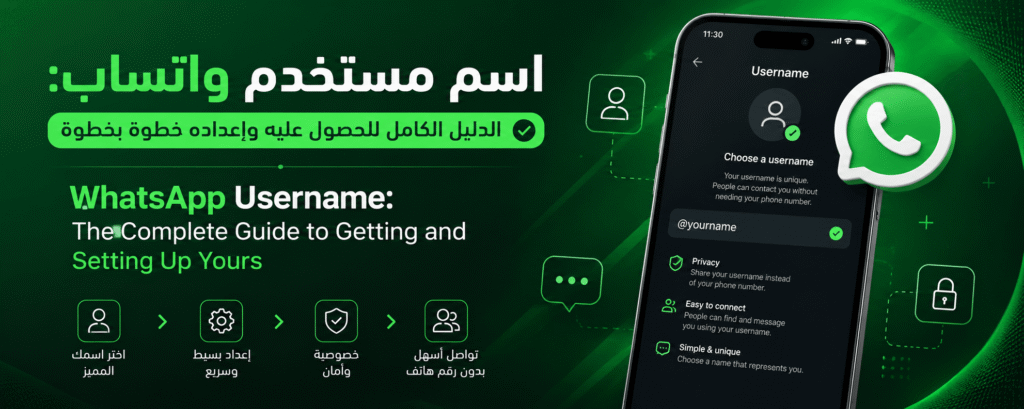
WhatsApp has begun rolling out a new feature that lets users create a unique username instead of relying solely on their phone number to be identified and contacted on the app. This update is part of a broader push toward better privacy and easier communication without needing to share a personal phone number with people you don’t fully know. This guide walks through what a WhatsApp username is, how to get one, the rules you need to follow, and practical tips for both personal and business use.
| Item | Details |
|---|---|
| WhatsApp Username | A text handle that replaces a phone number to start a chat or find an account |
| Available since | 2026 (gradual phased rollout) |
| Requires a phone number? | Yes, to create and verify your account |
| Protects your phone number? | Yes, you can hide your number from anyone who contacts you only via your username |
| Available for WhatsApp Business? | Yes, store and business owners can reserve a distinctive username for their brand |
| Can it be changed later? | Yes, anytime from your profile settings, as long as the new name is available |
What Is a WhatsApp Username?
A username is a unique text handle that account owners choose for themselves, and it can be used instead of a phone number when someone wants to find or message you on the app. Once activated, others can add or message you through this handle without ever learning your real number, giving you an extra layer of privacy and control over your digital identity. This feature is also sometimes referred to as a WhatsApp handle or WhatsApp user ID, and it works the same way across the app.
Why Did WhatsApp Introduce Usernames?
For years, a phone number was the only way to identify and reach someone on WhatsApp, which raised privacy concerns for many people, especially when dealing with strangers or using the app for business. Following a pattern already seen across other Meta-owned platforms, WhatsApp decided to let users communicate through a custom handle, reducing the need to hand out a personal number to people you don’t fully trust.
Username vs. Phone Number: What’s the Difference?
Your phone number is still required to create and verify your account, but it no longer has to be the only way people reach you. With a username, someone can message you without ever seeing your real number, and you can control who sees your number versus who can only contact you through your handle. It’s a concept similar to what other Meta apps already offer.
Usernames and the wa.me Link
Previously, users could generate a short wa.me link containing their phone number to let people start a chat instantly, but that link exposed the number to anyone who saw it. With username support, similar links can now be built around your chosen handle instead of your number, keeping the same convenience while protecting your privacy.
How to Get a WhatsApp Username: Step-by-Step
- Open WhatsApp on your phone and make sure it is updated to the latest version.
- Go to Settings and tap your name or photo to open your profile.
- Look for the Username option if it is already visible on your account (the feature is rolling out gradually and may not appear for everyone yet).
- Type the handle you would like to use; the app will automatically check whether it is available or already taken.
- Once you find an available name, tap save to activate it on your account.
You can always check the latest official instructions on the
Username Requirements on WhatsApp
- The handle usually needs to fall within a set character range, commonly between 3 and 30 characters.
- Only certain characters are allowed, typically letters, numbers, and symbols such as underscores or periods, depending on WhatsApp’s current rules.
- Every username must be unique and cannot already be claimed by another account.
- Avoid handles containing sensitive personal details or impersonating another person or brand, since this can get an account reported or restricted.
Advantages of a WhatsApp Username
A WhatsApp Username offers several practical benefits for both everyday users and business owners, including:
- Hiding your phone number from people who contact you only through your username.
- Easier account sharing via a direct link instead of dictating your phone number.
- A personal, memorable link that’s easy to share with customers or contacts.
- An extra layer of privacy and control over your digital identity.
- Especially useful for business owners and online store operators.
- Making it easier for people to find your account without saving your number in advance.
Disadvantages or Limitations of WhatsApp Usernames
Despite its benefits, there are a few limitations worth knowing before fully relying on a username:
- The feature is still rolling out gradually and may not yet be available to every WhatsApp user.
- It doesn’t replace a phone number, which is still required to create and verify an account.
- The username you want may already be taken by someone else.
- If you change your username later, your old handle could become available for someone else to claim.
- Setting it up correctly requires keeping an eye on ongoing app updates.
How to Share Your WhatsApp Username
Once your username is active, you can share it in a few ways: send a direct link built around your chosen handle so anyone can open a chat with a single tap, or share the QR code available on your profile, which others can scan to add you instantly as a contact.
Privacy Settings Related to Usernames
WhatsApp gives you controls over who can find you by username alone and who can see your actual phone number. It’s worth reviewing your privacy settings regularly and adjusting them to match your needs, especially if you use the app to communicate with a wide audience or with customers you don’t know personally. For the most accurate and up-to-date details, check the
Usernames for WhatsApp Business Accounts
This feature isn’t limited to personal accounts; it also extends to WhatsApp Business accounts. Store owners and companies can reserve a distinctive username that reflects their brand name, making it easier for customers to recognize the official account and interact with it confidently, while reducing the risk of falling for impersonated or fake business accounts. To get more out of AI-powered tools for customer communication on business accounts, check out our guide on the Meta Business Agent.
How Small Businesses in Saudi Arabia Can Benefit from WhatsApp Usernames
Given how widely WhatsApp is used for business communication across Saudi Arabia, online store owners and small business founders can now use a memorable username instead of relying solely on a mobile number that might change over time. This creates stronger continuity for a brand’s identity on the platform, particularly since a large share of entrepreneurs and small retailers in the Kingdom rely on WhatsApp as a core channel for customer communication and order handling. If you’re looking to launch your own online store, our complete guide on how to create an online store in Saudi Arabia covers the best platforms available.
Tips for Choosing a Professional Username
- Pick something short and memorable that reflects your real name or business name.
- Avoid random numbers or symbols that make the handle hard for others to recall.
- If the handle represents a business, try to match it with your account name on other platforms to strengthen brand recognition.
- Reserve your preferred name as soon as the feature becomes available on your account, before someone else takes it.
Frequently Asked Questions About WhatsApp Usernames
Is the username feature available to everyone?
Not yet. WhatsApp is rolling the feature out gradually in phases, so it may reach some accounts before others.
Can I change my username later?
Yes, you can edit or remove your username anytime from your profile settings, as long as the new name you want is available.
Does a username completely replace the phone number?
No. A phone number is still required to create and verify your account, but a username gives you an additional, more private way for people to reach you.
Does this feature create security risks?
Quite the opposite: it’s designed to reduce the risks associated with sharing your phone number with people you don’t fully trust, as long as you configure your privacy settings appropriately.
Conclusion
The WhatsApp username feature marks a meaningful step toward greater privacy and flexibility in how people connect, whether for personal use or business. As it continues rolling out to more users worldwide, it’s worth keeping an eye on official app updates and making sure your privacy settings are configured to get the most secure experience from this new feature. The final choice of a suitable handle ultimately depends on each user’s needs, whether that means more privacy in daily conversations or a stronger presence for a business on the region’s most widely used messaging platform.